
Page Manager and sites
8 min read
Build and maintain marketing pages, forms, and multi-domain public sites.
Features in this guide
-
Visual builder
/page-manager/visual-builder/1Drag-and-drop page sections with live preview.
-
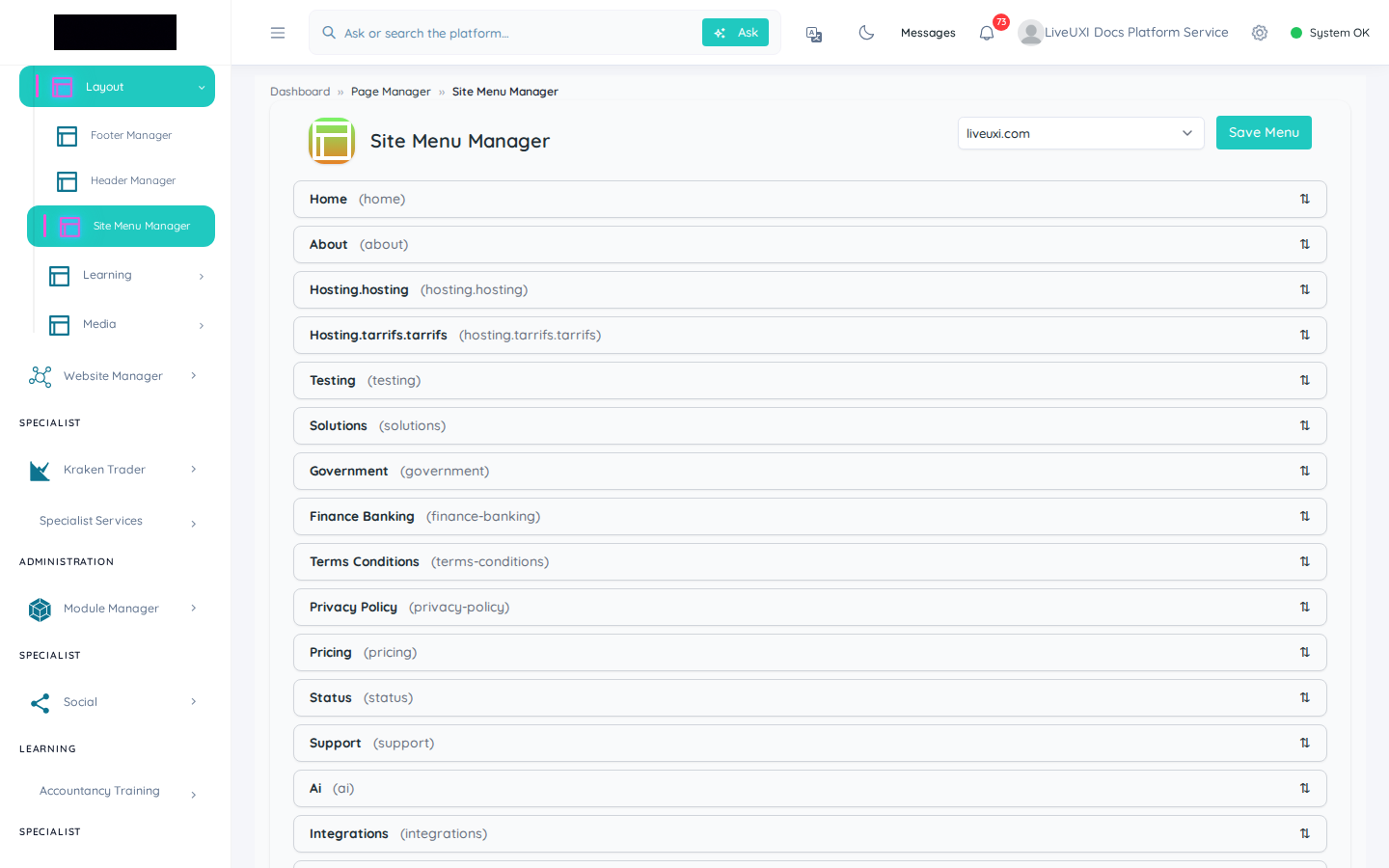
Site menu manager
/page-manager/site-menu-managerNavigation trees for multi-domain public sites.
-
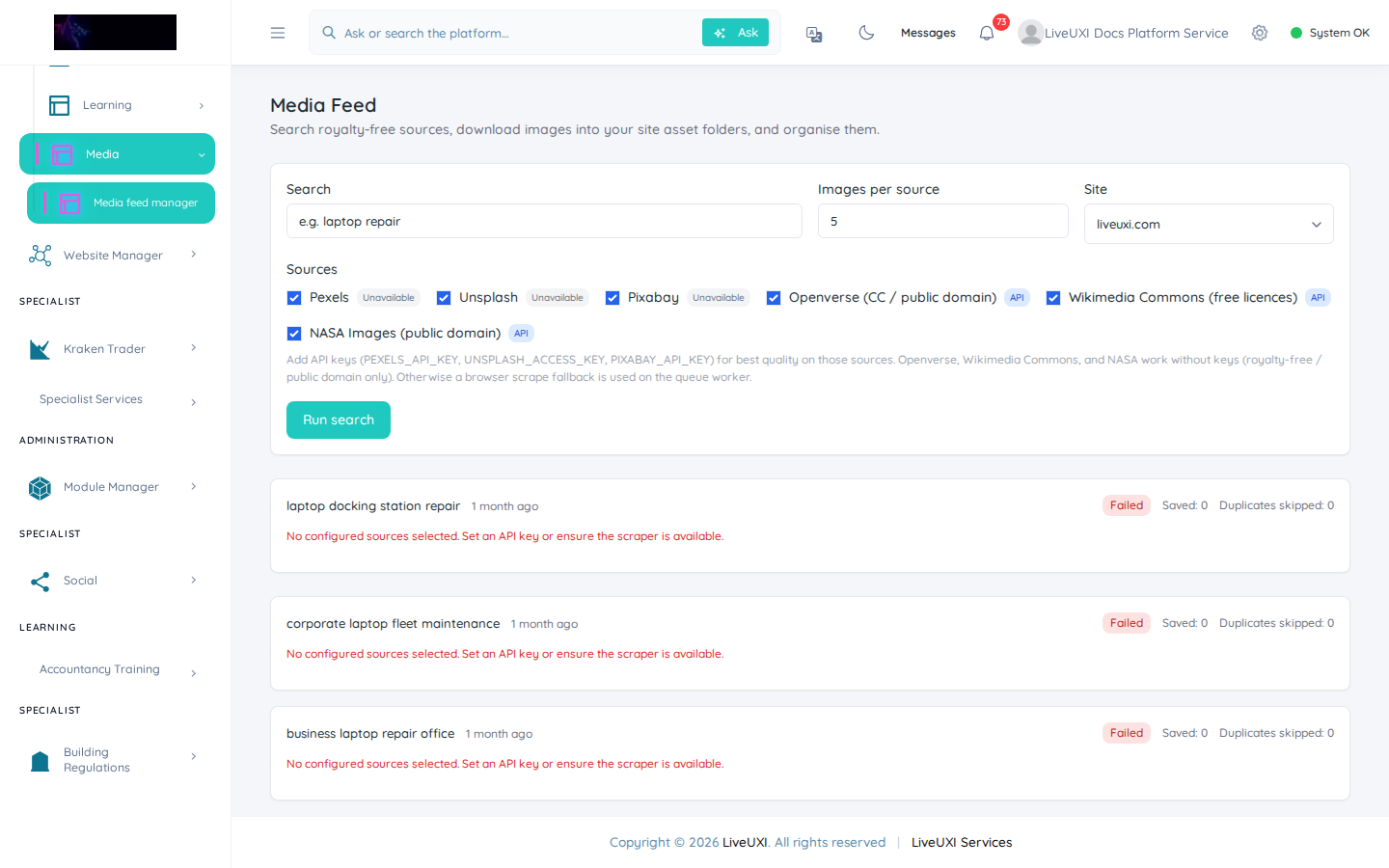
Media feed manager
/page-manager/media-feed-managerCurated media libraries for marketing pages.
Video walkthrough
Menus and media
Site menu manager and media feed manager.
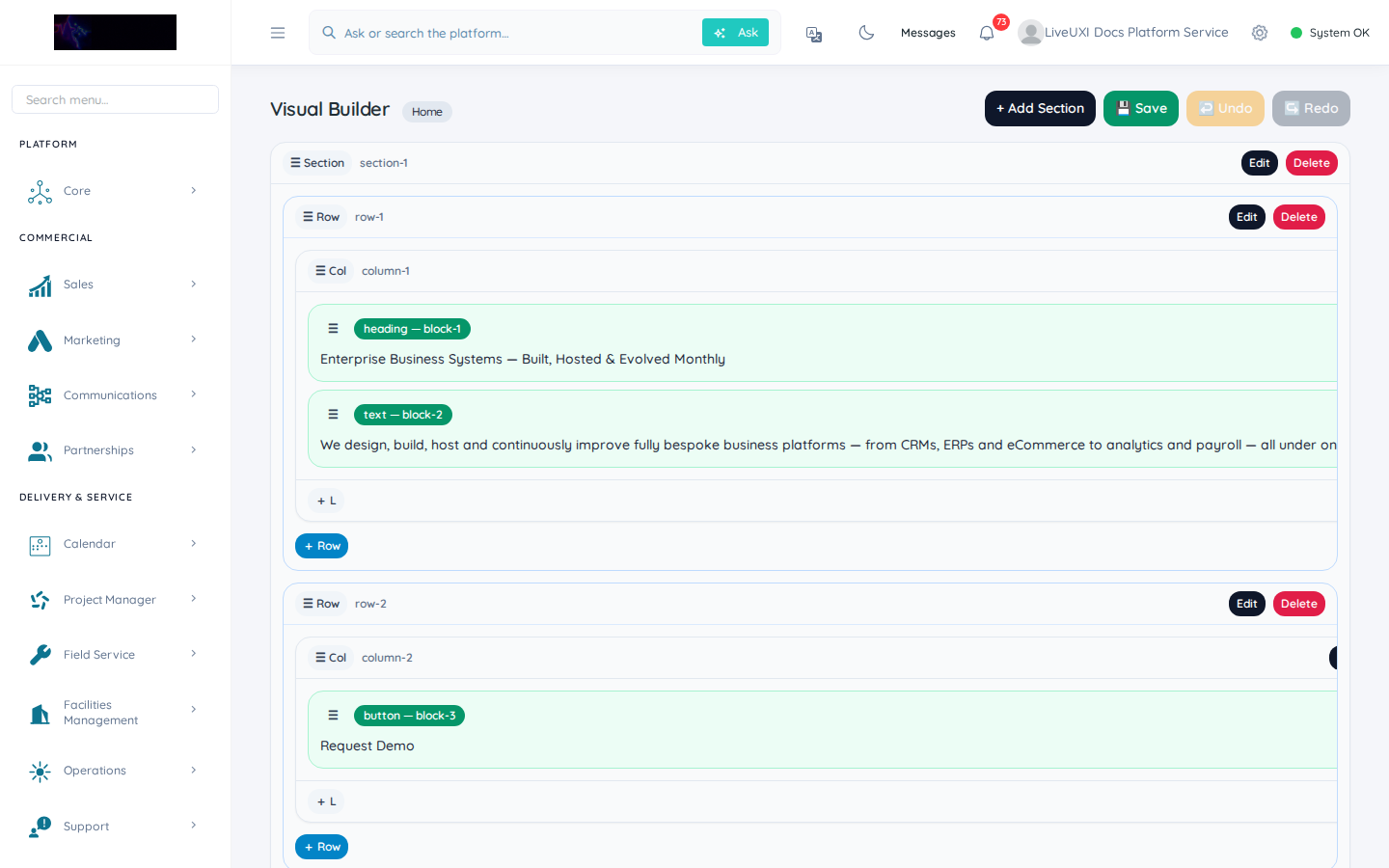
Visual builder
Edit a page layout in the visual builder.
Pages index
Page Manager lists every public page across your sites. Create blade-override pages for rich marketing content or use the visual builder for rapid layout iteration.
-
1
Open Page Manager → Pages
Select your site from the site switcher, then browse the page index for slug, status, and last updated.
-
2
Create or edit a page
Choose Visual builder for layout blocks or Blade override for custom documentation-style content.
-
3
Preview before publish
Use preview mode to check desktop and mobile layout, then publish when navigation links are updated.
Visual builder
The visual builder lets editors arrange sections, hero blocks, forms, and CTAs without deploying code. Preview changes, sync navigation, and publish when ready.
Connecting pages to operations
Forms on public pages feed CRM and automations. Booking widgets connect to Calendar. Keep slugs stable when pages are linked from campaigns or documentation.
Tips
- •Use blade overrides for long-form content like this documentation section.
- •Run a quick mobile check before publishing hero images with text overlays.