
Finance overview
6 min read
Monitor revenue, receivables, and financial KPIs alongside operational data.
Features in this guide
-
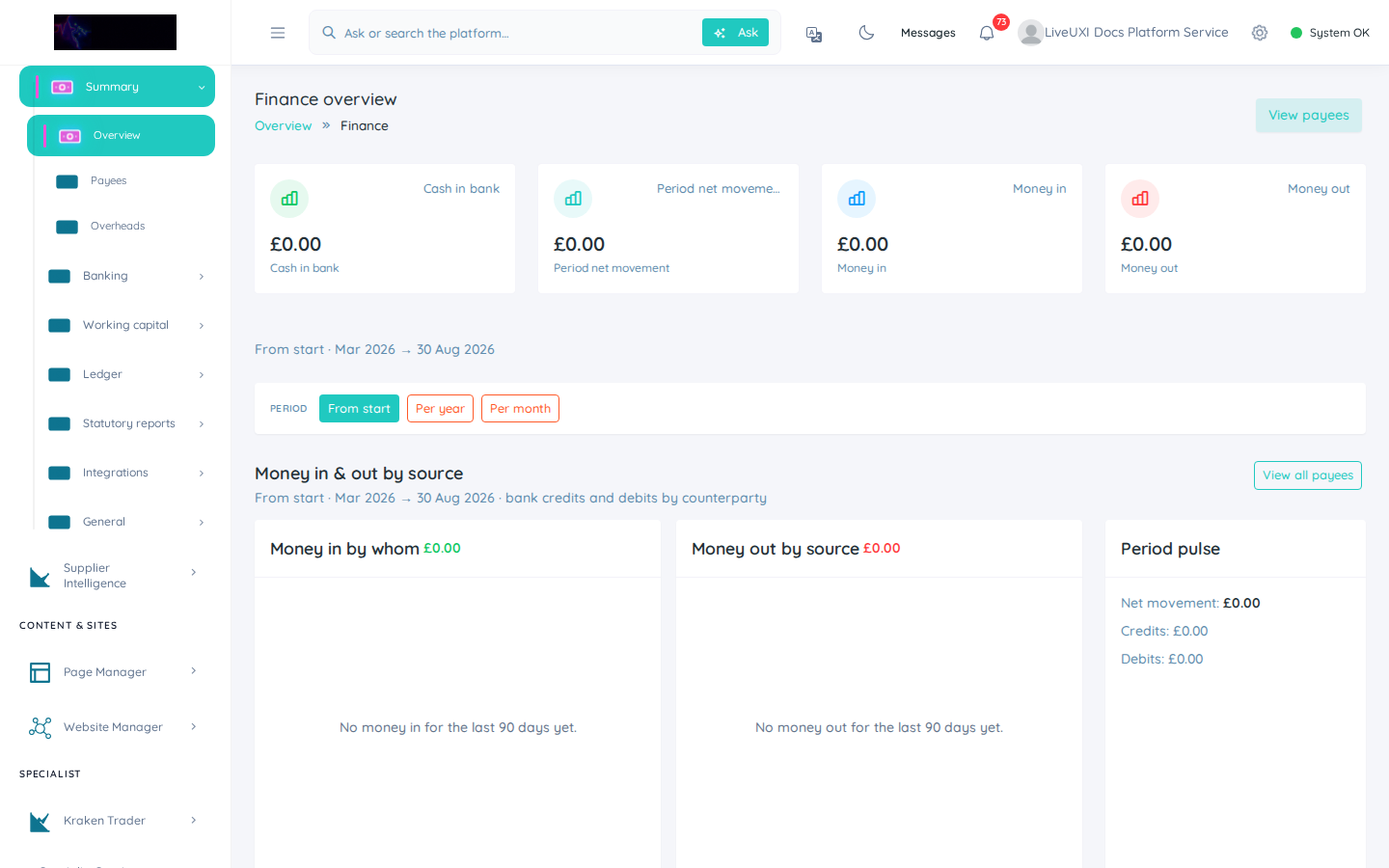
Finance overview
/finance/overviewFinancial dashboard with period filters and receivables drill-down.
Video walkthrough
Finance overview
Revenue KPIs and receivables on the finance dashboard.
Finance dashboard
The finance overview connects sales activity to cash position. Review outstanding invoices, payment trends, and summary KPIs without exporting to a separate spreadsheet.
-
1
Open Finance from the sidebar
Navigate to Finance → Overview to load receivables and revenue KPIs for your permitted scope.
-
2
Set the date range
Adjust the reporting period to match your review cycle — monthly for management, weekly for collections.
-
3
Drill into outstanding invoices
From KPI cards or linked lists, open overdue invoices and assign follow-up in CRM or inbox.
Quote to cash
Finance works best when connected to CRM: proposals become orders, orders generate invoices, and the portal lets customers pay or download documents. Keep product catalogues aligned so reporting stays trustworthy.