
Unified inbox
6 min read
Handle email and messaging channels from one inbox with assignment, threading, and CRM context.
Features in this guide
-
Unified inbox
/communications/inboxOmni-channel threads with channel filters, status, and assignment.
Video walkthrough
Unified inbox
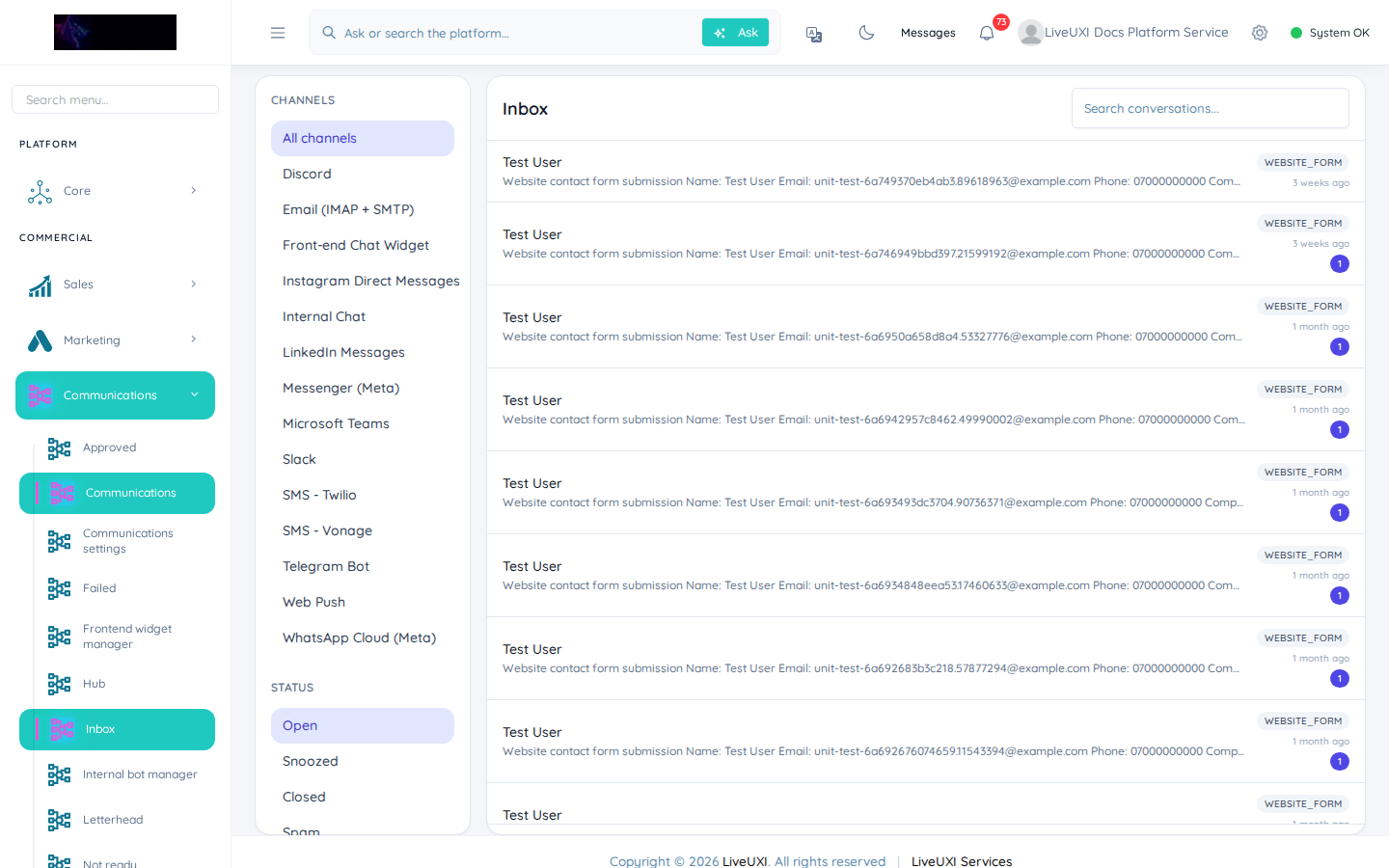
Omni-channel inbox with filters and assignment.
Omnichannel inbox
The unified inbox brings customer conversations into one place. See CRM context alongside each thread, assign to team members, and maintain audit trails for compliance.
-
1
Open Communications → Inbox
From the sidebar, open Communications → Inbox (or go to /communications/inbox) to see active threads.
-
2
Filter by queue or assignee
Use filters to show unassigned messages, your queue, or a specific team before triaging.
-
3
Open a thread and review CRM context
Select a conversation — the side panel shows linked customer, deal, or order context without switching modules.
-
4
Assign and reply
Assign the thread to an owner, reply using a template or free text, and mark resolved when complete.
Workflow tips
Define queues for sales, support, and accounts so messages route to the right team. Use templates for common replies while keeping personalisation where it matters.
Tips
- •Link inbox threads to pipeline deals so handoffs between sales and delivery stay visible.